2.3 Opening a Model
You can open a model from the File → Open Model File... menu. You can also open recent models from the list shown on the Welcome Page. Clicking a link in the Recent section will open the model. FEBio Studio also supports drag-and-drop for some file formats. For instance, you can drag a model file from Windows Explorer and drop it on FEBio Studio to open it.
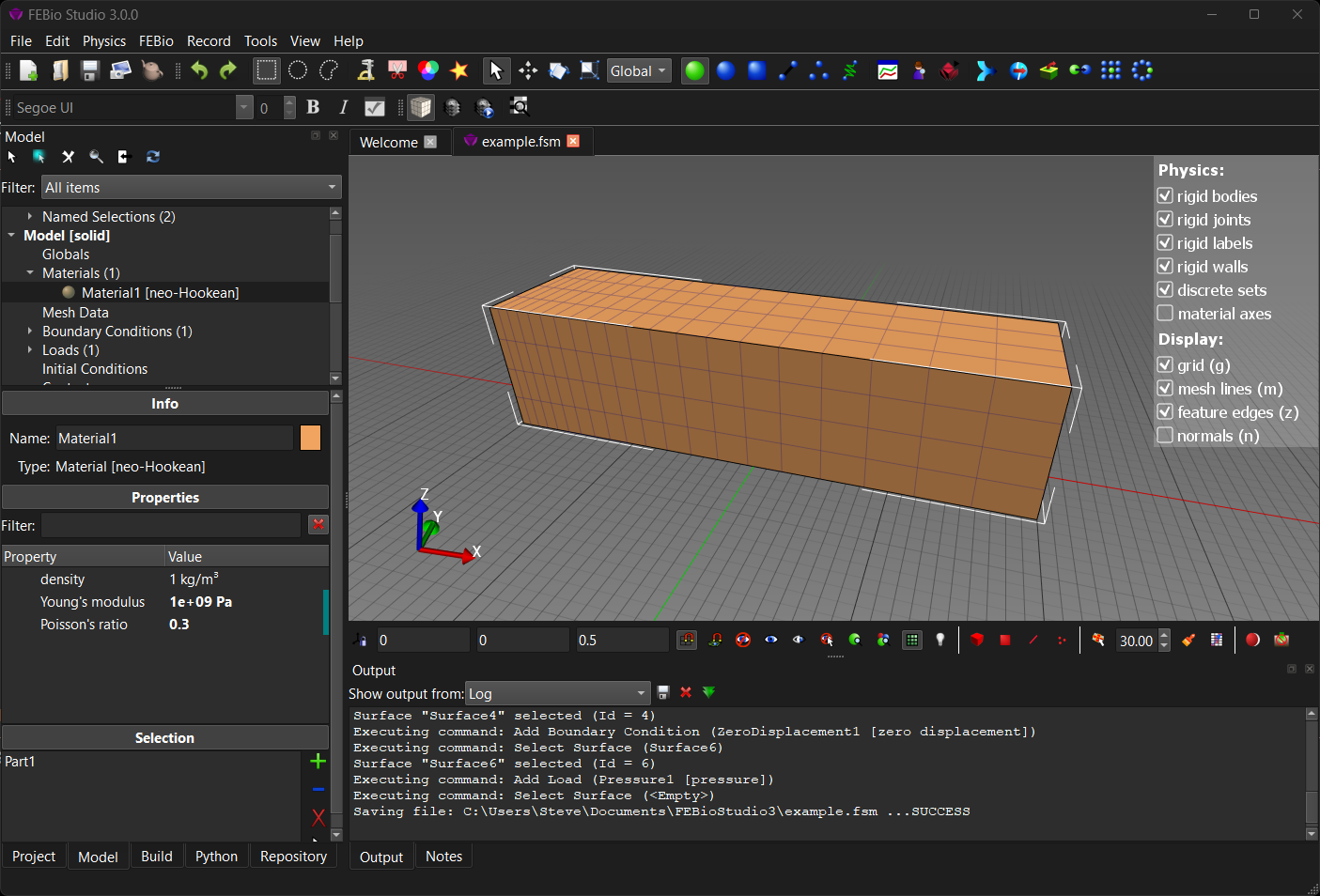
Figure 1. The UI after opening the example.fsm file. The Model Viewer is now populated with the model components.
Open the file example.fsm from the Examples folder of your FEBioStudio installation folder. You can do this by selecting the *_*File → Open Model File... menu item. A standard file open dialog box appears. Locate the file, select it and click on _Open. The UI will now look something like Figure 1.